

 Build Your Dream Website – with Website Wala



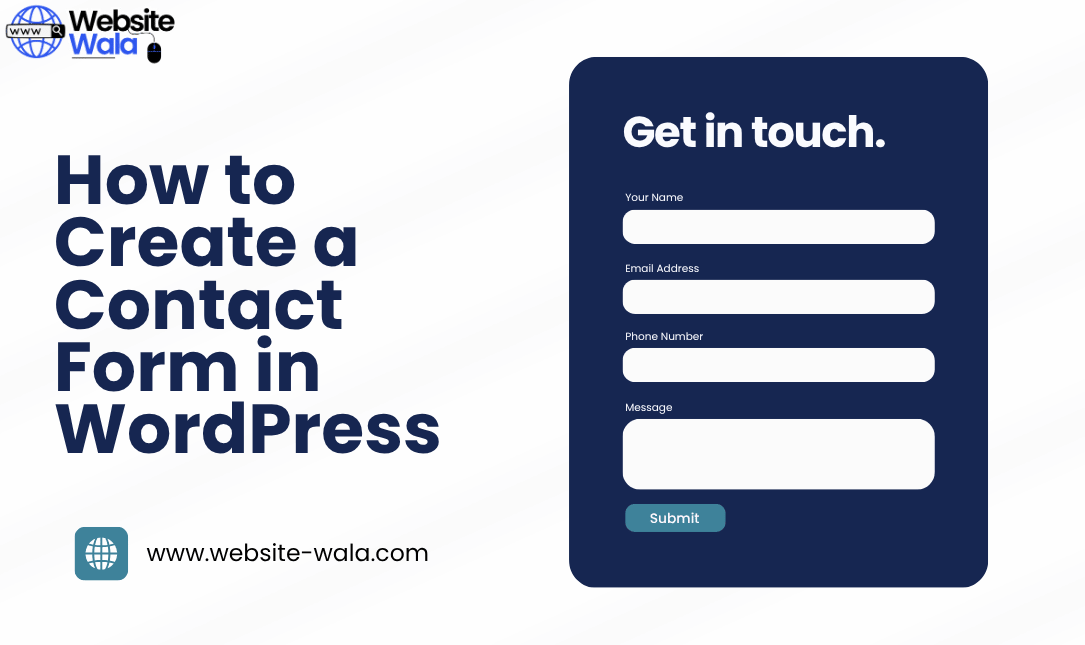
Learn How to Create a Contact Form in WordPress with this easy, step-by-step tutorial. Set up a custom form to help your visitors get in touch effortlessly.
Introduction
If you’re wondering how to create a contact form in WordPress, you’re in the right place. A contact form is one of the most essential elements of any website. It allows your visitors to get in touch with you quickly, whether for inquiries, collaborations, or customer support.
In this comprehensive step-by-step tutorial, you’ll learn how to create a contact form in WordPress using simple tools — no coding required. By the end, you’ll have a fully functional custom form that enhances communication and boosts your website’s professionalism.
Why You Need a Contact Form on Your WordPress Website
Before diving into how to create a contact form in WordPress, it’s important to understand why it’s such a crucial feature.
A contact form helps you:
-
Streamline communication – Visitors can easily get in touch without exposing your email to spam bots.
-
Stay organized – All messages are collected in one place, making it easy to track conversations.
-
Enhance user experience – A well-designed custom form offers a professional, user-friendly way for visitors to contact you.
-
Encourage engagement – A simple way to reach out can increase leads and customer interactions.
Now, let’s go through the exact process of how to create a contact form in WordPress step by step.
Step 1: Choose a Contact Form Plugin
The easiest way to create and set up a contact form in WordPress is by using a plugin. WordPress offers several great options, but here are three popular choices:
-
WPForms – Beginner-friendly with drag-and-drop functionality.
-
Contact Form 7 – A classic, lightweight option.
-
Formidable Forms – Ideal for advanced custom forms.
For this tutorial, we’ll use WPForms since it’s intuitive and perfect for all skill levels.
Step 2: Install and Activate the Plugin
To start creating a contact form in WordPress, follow these steps:
-
Log in to your WordPress dashboard.
-
Go to Plugins → Add New.
-
Search for “WPForms.”
-
Click Install Now, then Activate.
Once activated, you’ll notice a new menu item labeled “WPForms” in your dashboard. This is where you’ll manage all your forms.
Step 3: Create a New Contact Form
Now comes the exciting part — actually creating your contact form.
-
In your dashboard, navigate to WPForms → Add New.
-
Choose a template. You can start from scratch or select the Simple Contact Form template.
-
Give your form a name, such as “Website Contact Form.”
This step is the foundation of how to create a contact form in WordPress. The template provides the basic fields (Name, Email, Message) that most websites need.
Step 4: Customize Your Form Fields
You can easily customize your contact form to fit your needs. Using the drag-and-drop builder, you can create or edit fields like:
-
Phone Number
-
Dropdown Menus
-
Checkboxes
-
File Uploads
For example, if you run a service-based business, you might want to add a “Service Type” dropdown.
This customization is a key part of how to create a contact form in WordPress that matches your site’s style and functionality.
Step 5: Configure Form Settings
Once your custom form fields are ready, it’s time to set up essential configurations.
Go to the Settings tab in WPForms, where you can adjust:
-
Form Name and Description: Make your form easy to identify.
-
Submit Button Text: Change it to something like “Send Message” or “Get in Touch.”
-
Notifications: Choose where form submissions will be sent (usually your email).
-
Confirmations: Display a success message after visitors submit the form.
This step ensures your form behaves exactly how you want when visitors interact with it.
Step 6: Add the Contact Form to a Page
After you’ve finished creating your form, it’s time to publish it.
To set up your contact form on a page:
-
Go to Pages → Add New (or edit an existing page like “Contact Us”).
-
Click the + icon in the WordPress block editor.
-
Search for the WPForms block and add it.
-
Select your form from the dropdown menu.
-
Click Publish.
Congratulations! You’ve successfully learned how to create a contact form in WordPress and add it to your website.
Step 7: Test Your Contact Form
Before making it live, always test your form to ensure it works properly.
Submit a test message and check your email inbox to confirm you’re receiving submissions. This step ensures that visitors can truly get in touch without issues.
Testing is a crucial part of how to create a contact form in WordPress — you don’t want potential clients facing errors or unresponsive forms.
Step 8: Enhance Your Contact Form (Optional)
Once your basic contact form is working, you can enhance it with additional features.
Here are some advanced options to create a more powerful custom form:
-
Enable spam protection with Google reCAPTCHA.
-
Add conditional logic to show or hide fields based on user input.
-
Integrate with email marketing tools like Mailchimp or Constant Contact.
-
Style your form using custom CSS to match your brand.
These enhancements help you set up a contact form that not only looks professional but also functions seamlessly.
Common Mistakes to Avoid When Creating a Contact Form
Even with an easy step-by-step process, beginners sometimes make small mistakes. Avoid these pitfalls:
-
Not testing your form: Always check for errors before publishing.
-
Asking for too much information: Keep your form short and simple.
-
Ignoring mobile users: Make sure your custom form is responsive.
-
Forgetting to confirm emails: Always verify that you’re receiving messages correctly.
Following these best practices will make your contact form more effective and user-friendly.
Benefits of Having a Contact Form on Your WordPress Site
By now, you understand how to create a contact form in WordPress, but let’s recap why it’s so valuable:
-
Better engagement: Makes it easier for visitors to get in touch.
-
Enhanced security: Hides your email address from bots.
-
Professional appearance: A clean custom form adds credibility.
-
Automation options: Easily connect to CRM or email tools.
Whether you run a blog, business, or portfolio, having a reliable contact form is essential for success.
Conclusion
Learning how to create a contact form in WordPress is one of the most important steps in building a professional website. Using a plugin like WPForms, you can create, customize, and set up a contact form without any coding skills.
By following this step-by-step tutorial, you can provide your visitors with a smooth, simple way to get in touch — boosting communication, engagement, and trust.
Now that you know how to create a contact form in WordPress, it’s time to put your knowledge into action. Set up your custom form today and start connecting with your audience like a pro.






