

 Build Your Dream Website – with Website Wala



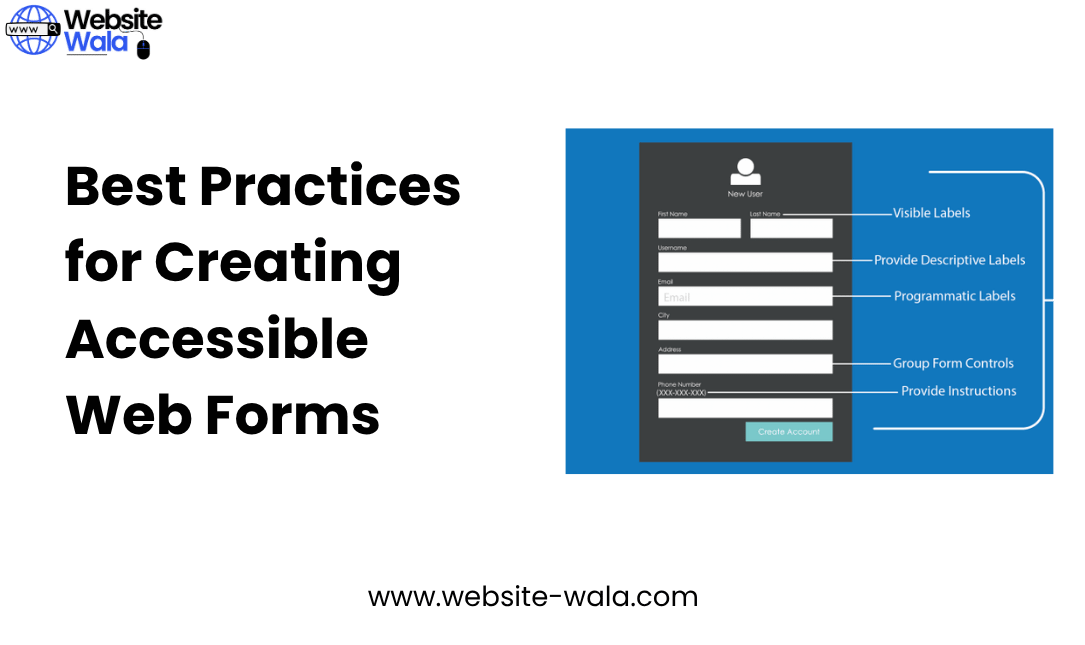
Learn the Best Practices for Creating Accessible Web Forms that enhance usability, follow accessibility guidelines, and support inclusive design for all users.
Best Practices for Creating Accessible Web Forms
Creating accessible web forms is essential for ensuring that every user, regardless of ability, can interact with and submit information effectively. As part of good web design and inclusive design, accessible forms improve usability, enhance user experience, and comply with accessibility guidelines such as the WCAG (Web Content Accessibility Guidelines).
In this comprehensive guide, we’ll explore the Best Practices for Creating Accessible Web Forms, detailing how to make your forms more intuitive, functional, and inclusive. Whether you’re involved in web development, user experience research, or accessibility auditing, these strategies will help you build forms that everyone can use.
Understanding the Importance of Accessible Web Forms
Before diving into the Best Practices for Creating Accessible Web Forms, it’s important to understand why accessibility matters. Millions of users rely on assistive technologies like screen readers, speech recognition tools, or alternative input devices to navigate the web. If a form isn’t built with accessible design principles, it can create barriers that prevent users from completing tasks such as registrations, purchases, or contact submissions.
Accessible web forms not only support people with disabilities, but they also improve usability for all users. For example, clear labels and structured layouts help everyone understand and complete form fields more efficiently. In essence, accessibility equals better user experience.
1. Use Clear and Descriptive Labels
One of the foundational Best Practices for Creating Accessible Web Forms is to include clear and descriptive labels for every form field. Labels guide users through each step of the information submission process and ensure that assistive tools can announce form elements correctly.
Tips:
-
Place labels close to their corresponding form fields.
-
Avoid using placeholder text as the sole means of labeling.
-
Associate labels programmatically with inputs using the
<label for="">element in HTML.
By following these best practices, you make your forms easier to interpret for users with disabilities and enhance general web accessibility.
2. Provide Helpful Instructions and Error Messages
Good instructions are vital for accessible forms. Users should know what information is expected and what happens if something goes wrong. When implementing the Best Practices for Creating Accessible Web Forms, always include instructions before the form fields and provide real-time validation feedback.
Recommendations:
-
Use plain, simple language that aligns with accessible design principles.
-
Offer context-sensitive help or tooltips for complex fields.
-
Ensure that error messages are descriptive and linked to the corresponding fields.
This approach supports both usability and compliance with WCAG success criteria for web accessibility.
3. Ensure Proper Keyboard Navigation
Keyboard accessibility is another key aspect of the Best Practices for Creating Accessible Web Forms. Users should be able to navigate all form fields and buttons using the keyboard alone. This feature is particularly important for users with mobility impairments or those relying on assistive technologies.
Implementation Tips:
-
Maintain a logical tab order that follows the visual layout.
-
Use
:focusstyles to highlight the active field. -
Avoid trapping the focus within specific elements unless absolutely necessary.
Accessible keyboard navigation enhances usability and ensures a smoother user experience for everyone.
4. Use ARIA Attributes Wisely
ARIA (Accessible Rich Internet Applications) attributes are powerful tools for improving web accessibility, but they must be used correctly. As part of the Best Practices for Creating Accessible Web Forms, ARIA attributes should complement—never replace—native HTML elements.
Key ARIA Practices:
-
Use
aria-required="true"to indicate mandatory form fields. -
Apply
aria-describedbyfor additional instructions or error explanations. -
Avoid unnecessary ARIA roles that may conflict with built-in semantics.
When applied correctly, ARIA enhances the relationship between assistive technologies and your form’s structure, improving both usability and inclusive design.
5. Provide Logical Form Structure and Grouping
The Best Practices for Creating Accessible Web Forms also emphasize logical structure. Grouping related fields together improves user experience and clarity. For example, group name fields, address fields, or payment sections using the <fieldset> and <legend> elements.
Example:
<fieldset> <legend>Contact Information</legend> <label for="name">Full Name:</label> <input type="text" id="name" name="name"> <label for="email">Email Address:</label> <input type="email" id="email" name="email"> </fieldset>
This approach supports screen readers and helps all users navigate the information submission process seamlessly.
6. Color and Contrast Considerations
Color contrast plays a vital role in accessible web forms. Users with low vision or color blindness rely on sufficient contrast to distinguish text, borders, and form fields.
Follow These Guidelines:
-
Ensure a minimum contrast ratio of 4.5:1 for text.
-
Avoid using color alone to convey meaning.
-
Use patterns, icons, or text in addition to color for required fields or errors.
Adhering to these accessibility guidelines ensures compliance with WCAG standards and supports inclusive design practices.
7. Test with Assistive Technologies
No guide on the Best Practices for Creating Accessible Web Forms is complete without testing. Even the most carefully designed forms can have hidden accessibility issues. Testing ensures that your web development process aligns with real-world user experience.
Testing Suggestions:
-
Use screen readers like NVDA, VoiceOver, or JAWS.
-
Check keyboard navigation on multiple browsers.
-
Conduct usability testing with participants who have disabilities.
Through consistent testing and refinement, you ensure that your accessible web forms meet both technical and human needs.
8. Keep Accessibility in the Web Development Workflow
Accessibility should never be an afterthought. Incorporate the Best Practices for Creating Accessible Web Forms into every stage of web development—from design and coding to testing and deployment.
Continuous Improvement Strategies:
-
Train your web design and development teams on accessibility guidelines.
-
Use automated accessibility checkers, but always follow up with manual testing.
-
Stay updated with evolving WCAG standards and best practices.
Making accessibility an integral part of your workflow ensures your forms remain inclusive as technologies and standards evolve.
Conclusion: Building a More Inclusive Web
The Best Practices for Creating Accessible Web Forms are not just about meeting compliance requirements—they’re about creating an internet that works for everyone. Accessible forms enhance usability, foster inclusive design, and ensure that users of all abilities can participate in digital experiences.
By applying these best practices, you empower people with disabilities, support a better user experience, and demonstrate a commitment to web accessibility. Ultimately, accessible forms aren’t just a technical necessity—they’re a reflection of thoughtful, human-centered web design guided by accessible design principles.
Final Thoughts
Implementing the Best Practices for Creating Accessible Web Forms improves your website’s functionality, compliance, and inclusivity. From proper labeling and ARIA use to color contrast and testing, every step contributes to a more accessible and user-friendly web.
When web accessibility becomes part of your web development culture, everyone benefits—because accessibility is good design, and inclusive design is good business.






